Quick answer
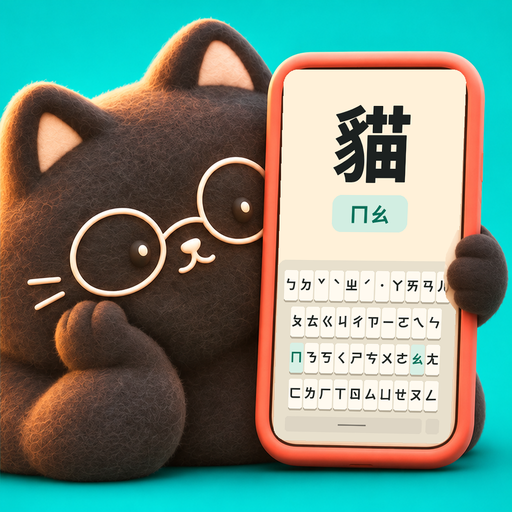
Typomo is an iPhone and iPad app for Zhuyin (bopomofo) typing practice. You type real Taiwanese Mandarin words on a practice keyboard with the same layout and size as the iOS system Zhuyin keyboard, with optional hints, tone keys, audio from Taiwan Mandarin voices, and results after each round, so the key positions you learn carry over to everyday typing.
Why typing Zhuyin is its own skill
Many learners can read Zhuyin long before they can type it. The keyboard holds 37 symbols plus tone keys, in an order that has nothing to do with the alphabet, and every word needs a tone at the end. Recognizing ㄒ on a page does not tell your thumb where ㄒ lives.
Typomo is for people learning Taiwanese Mandarin who want to type the way people in Taiwan do, and for anyone in Taiwan who grew up with Zhuyin but now mostly types another way. Instead of a separate drill layout, you practice on a keyboard that looks and behaves like the iOS system Zhuyin keyboard, with the same layout and key size. What your hands learn in practice is what you meet in Messages or Notes.
Typomo is a practice app, not a system keyboard. It does not replace the input method on your phone; it helps you get comfortable with it. If you have not added the system keyboard yet, see how to set up the Zhuyin keyboard.
How a practice round works
See and hear the word
Each item shows a word in Traditional Chinese and can play it in a natural Taiwan Mandarin voice, female or male.
Type the symbols
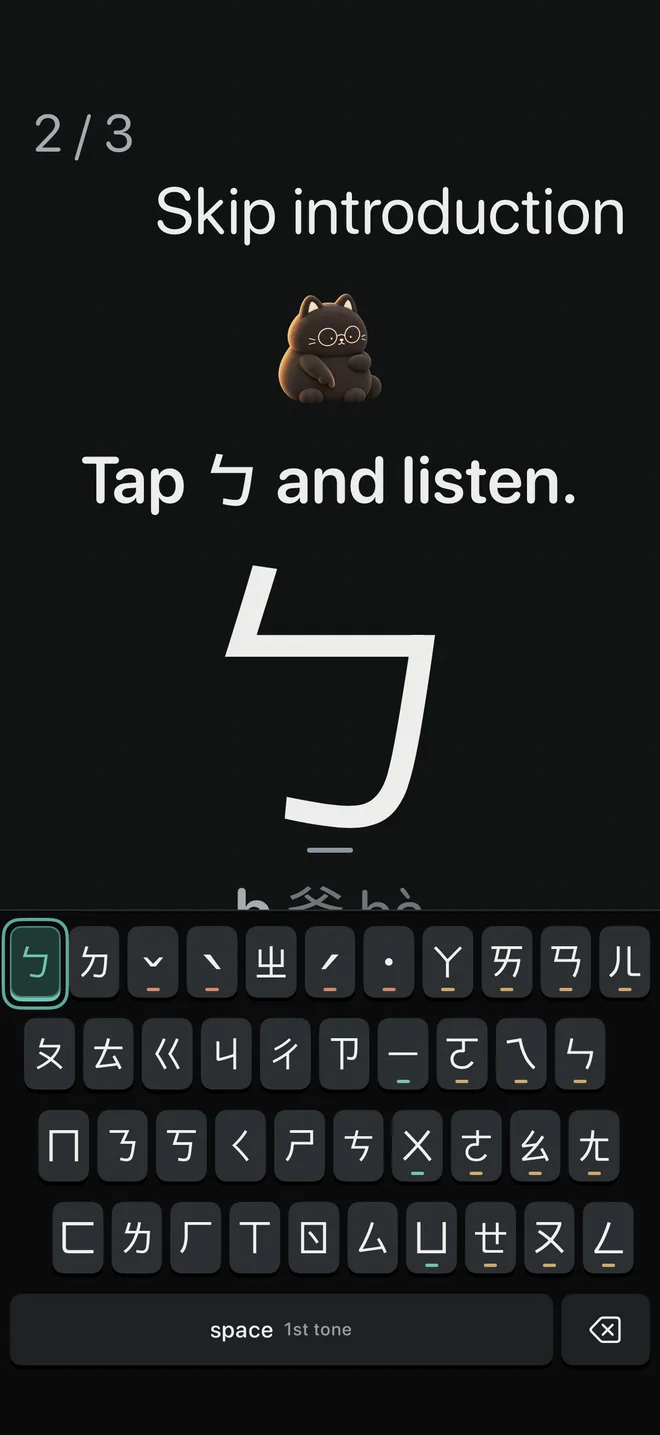
Type the Zhuyin syllable by syllable on the practice keyboard. You can have each symbol read aloud as you press it.
Finish with the tone
End each syllable with its tone key. Space counts as the first tone, as it does on the real keyboard. An option moves you to the next item as soon as you press the final tone key.
Check your results
After the round you see accuracy, keys per minute and time, and you can retry only the items you missed.
Hints you can turn down as you improve
Early on, guessing where a key is wastes time and builds wrong habits. Typomo offers three kinds of help, and you choose how much you want:
- Next key lights up: the key you need next glows, so you learn positions by doing.
- Hint after a pause: the key appears only if you stop for a few seconds, so you try to recall it first.
- Show the word's Zhuyin: the full spelling appears above the word, useful while symbols are still new.
Turn off the glowing key once you can type a lesson without it, and keep the pause hint as a safety net.
Details
- Computer-key letters on the keys (for example ㄆ = Q), if you also want to learn the Dachen layout used on computers.
- Space works as the first tone; ˊ ˇ ˋ ˙ have their own keys.
- Optional auto-advance when you press the tone key at the end of an item.
- Bundled Taiwan Mandarin voices, female and male; lesson audio works offline.
- A setting for how the names of ㄅㄆㄇㄈ are read aloud: ㄅㄜ ㄆㄜ ㄇㄜ ㄈㄜ (default) or ㄅㄛ ㄆㄛ ㄇㄛ ㄈㄛ.
- Results feed into your stats, including the symbols you miss most this week.
- No account, no ads; practice data stays on your device. Requires iOS or iPadOS 17 or later.
A practice idea you can use without any app
Add the system Zhuyin keyboard, open a notes app, and pick ten words you use every day. Type each one syllable by syllable while saying the symbols under your breath, and finish every syllable with its tone. Then type the same word in one go and pick it from the candidates. Typing whole words gives the keyboard more context, so the right character tends to come up sooner.
Do the list twice a day for a week. Each time you hesitate over a key, write the symbol down; that short list is what to drill next. How to type in Zhuyin covers tones and candidate selection, and common Zhuyin typing mistakes lists the slips most learners make.
Where keyboard practice fits
Keyboard practice runs through the whole learning path: the 37 symbols first, then words, then sentences. Every stage uses the same practice keyboard, so speed and accuracy build on each other rather than starting over.
Frequently asked questions
Can I use Typomo as my keyboard in other apps?
No. Typomo is a practice app, not an input method. You practice inside the app, then type with the iOS system Zhuyin keyboard everywhere else, which has the same layout.
Do I need to know Zhuyin before I start?
No. The path begins with five lessons that teach all 37 symbols, and the glowing-key hint shows you where each one is while you learn.
Does it help with typing Zhuyin on a computer?
Partly. Practice happens on the iPhone layout, but you can show computer-key letters on each key, which follow the standard Dachen layout. That lets you learn which computer key matches each symbol along the way.
What is free?
Everything in the app: all five Zhuyin symbol lessons, the first word stage and the first sentence stage, up to 24 of your own words and sentences, review and stats. There is no account, subscription or ads.