Quick answer
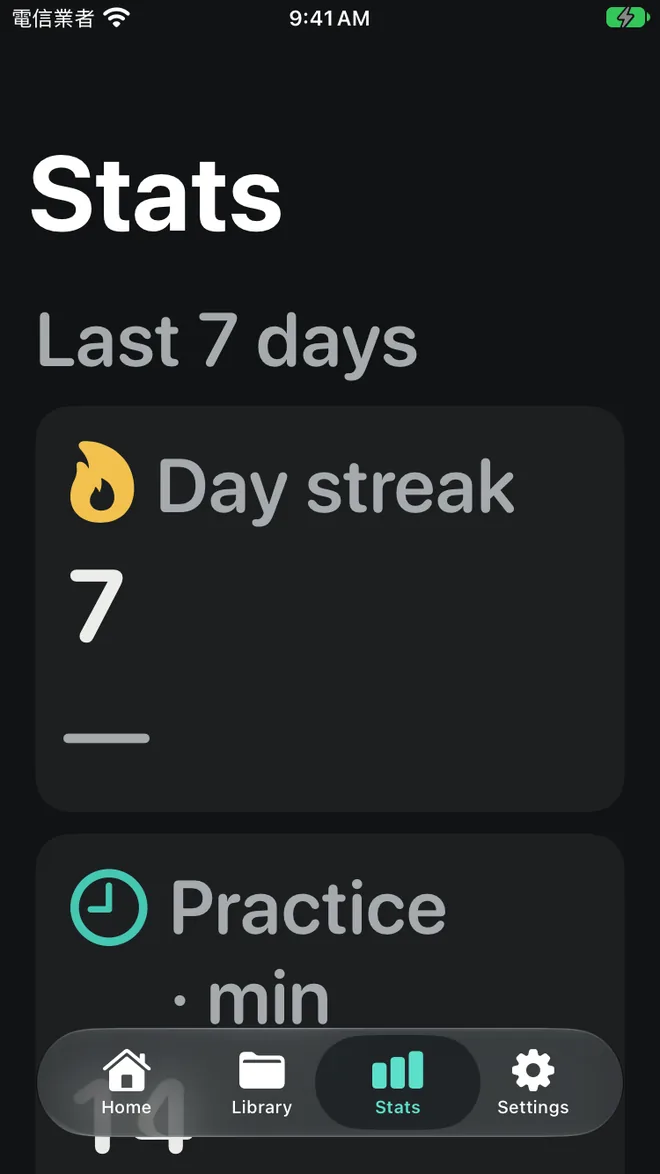
Typomo tracks your Zhuyin typing practice on the device: practice time, accuracy and typing speed in keys per minute, over 7 days, 30 days or all time. It also shows a practice calendar, your streak, best speed and accuracy, and the symbols you missed most this week. After every session you see your results and can retry only the items you missed.
Why stats matter for Zhuyin typing
Learning to type Zhuyin is a slow build: 37 symbols, tone keys and a layout that does not follow the alphabet. Day to day the change is too small to notice, which makes it easy to either give up or keep drilling things you already know.
Stats are for anyone practicing regularly who wants to spend their time where it counts. Typomo keeps the numbers simple and close to the practice itself, so they point to the next thing to work on rather than becoming a score to worry about.
How stats build up
Finish a session
Every round ends with accuracy, keys per minute (KPM) and time.
Retry what you missed
Retry only the missed items right away; mistakes also go into review so you can retype them later.
Check the overview
The stats screen adds sessions up over 7 days, 30 days or all time, per lesson type.
Look at this week's weak symbols
The symbols you miss most this week appear by name, so you know what to drill next.
What Typomo tracks
Everything is stored on your device, and there is no account. What you type and your own words are never sent.
- Practice time
- Accuracy
- Typing speed in keys per minute (KPM)
- 7-day, 30-day and all-time views, per lesson type
- A practice calendar and your current streak
- Best speed and best accuracy
- Weak symbols: the keys you miss most this week
- Review: your mistakes collected for retyping
How to read your numbers
Accuracy first, speed second. A wrong key costs a backspace and a retry, so fast but sloppy typing is slower in real use. If accuracy drops when you push speed, ease off until it settles again.
Turn weak symbols into short drills. When the weekly list shows the same few symbols, give them a few minutes of focused practice instead of repeating whole lessons. Pairs that sound alike, such as ㄓ and ㄗ, or keys close together on the keyboard, are common culprits; common Zhuyin typing mistakes goes through the usual ones.
Compare with yourself, not a target. There is no single right KPM. Watch the 30-day trend rather than a single day, and raise your pace a little only once your accuracy holds steady for several sessions. Words and sentences are naturally slower than single symbols, so compare like with like.
Tracking practice without any app
You can track the same things on paper. Set a timer for two minutes, type a fixed list of words with the system Zhuyin keyboard, and count how many you got right. Each time you hesitate or miss a symbol, put a tally mark next to it on a sheet listing the 37 symbols. At the end of the week, the symbols with the most marks are your drill list.
Use the same word list for a week so the numbers are comparable, then switch. The two-week Zhuyin plan builds this kind of check into each day.
Where stats fit in
Stats cover every part of the learning path, from the symbol lessons through words and sentences, and every round of Zhuyin keyboard practice adds to them.
Frequently asked questions
What is a good Zhuyin typing speed?
It depends on what you type and how long you have practiced, so there is no single target. A better measure is your own trend: steady accuracy with speed slowly rising over weeks.
What does keys per minute (KPM) measure?
KPM is your typing speed measured in key presses per minute. It suits Zhuyin better than words per minute because one syllable takes anywhere from two to four presses, counting the tone.
Can I see which keys I get wrong most?
Yes. The stats screen lists your weak symbols for the current week, and review collects the items you missed so you can retype them.
Are stats free, and where are they stored?
Stats and review are free. Everything stays on your device and Typomo has no account. Only if you allow it does the app send anonymous usage data such as lesson accuracy, never what you type, and you can turn that off in Settings at any time.